Step by step guide to running a payroll
Step 19: Submit Full Payment Submission (FPS) to HMRC
Task list not showing?
Select Payroll from the main menu then View Details to view the task list.
A Full Payment Submission Full Payment Submission is an RTI online submission to be sent on or before each payday. This informs HMRC about the payments and deductions for each employee. (FPS Full Payment Submission is an RTI online submission to be sent on or before each payday. This informs HMRC about the payments and deductions for each employee.) must be sent to HMRC His Majesty's Revenue and Customs is a non-ministerial department of the UK Government responsible for the collection of taxes, the payment of some forms of state support, the administration of other regulatory regimes including the national minimum wage and the issuance of national insurance numbers. every time you pay someone.
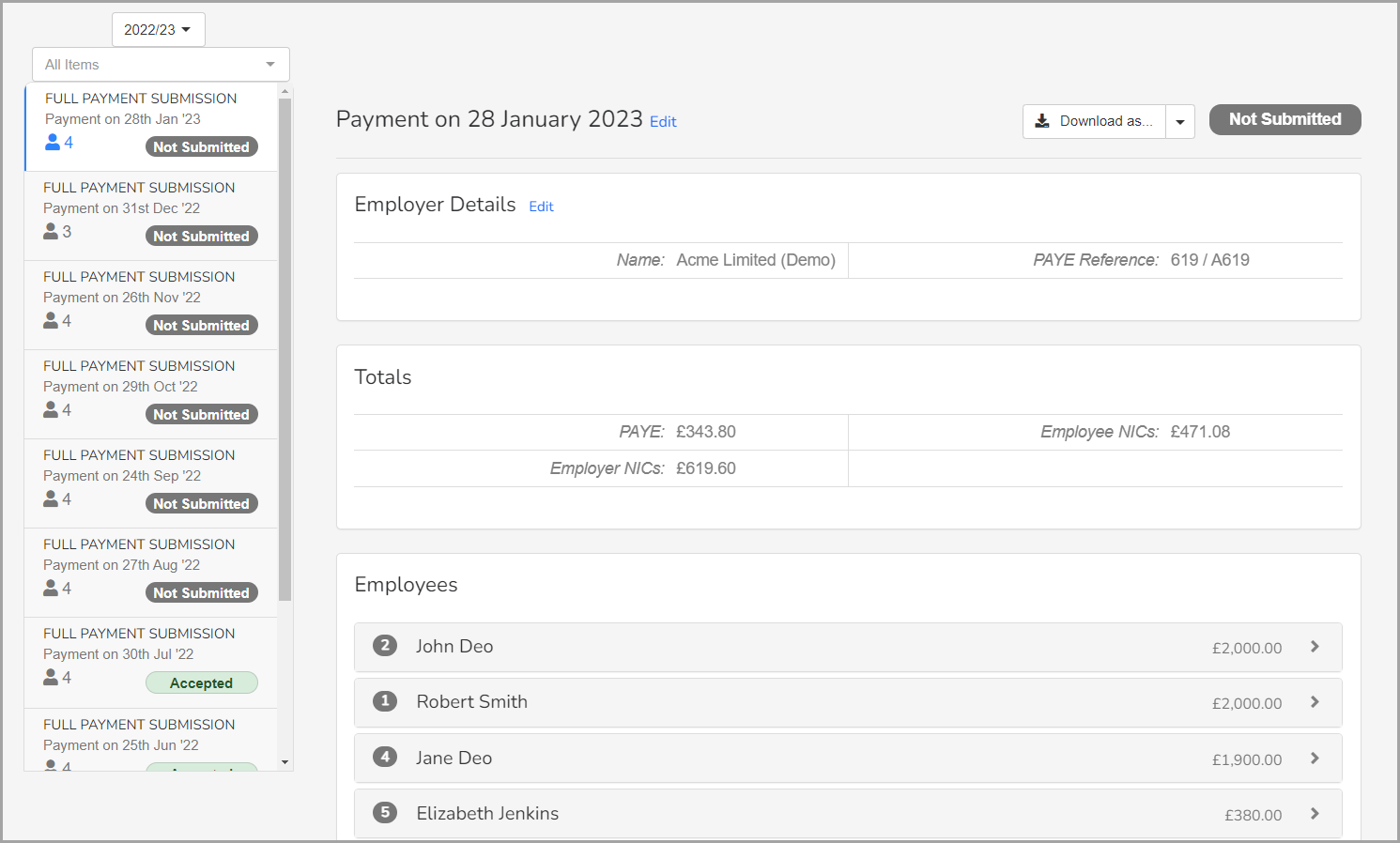
- Go to RTI Real Time Information is the current method for reporting PAYE to HMRC, comprising FPS and EPS submissions., FPS is already selected.
- All FPS for the current financial year are displayed. If required, select the relevant financial year.
-
To review the details, select the relevant FPS from the left.
-
In Gateway:
- If required, select the Late Filling Reason.
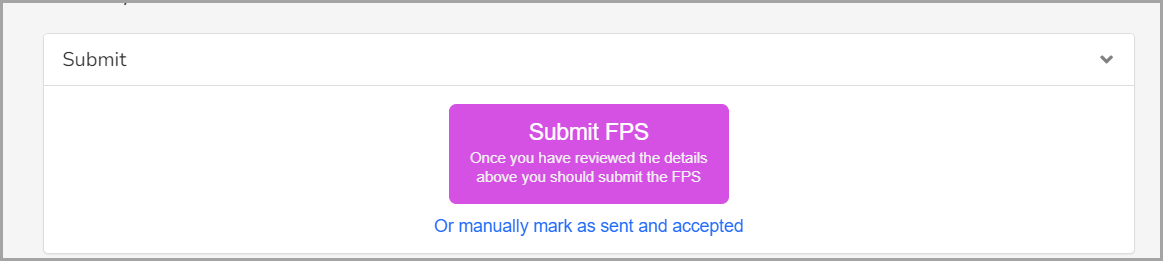
- To send the FPS, select either:
- Submit FPS — to automatically send the FPS.
- Or manually mark as sent and accepted — to confirm you have sent the file by another means or if it did not need to be sent again.
To get the details to send the FPS manually, select Raw XML Request, then Download XML. Use the downloaded file to send to HMRC outside of your payroll product.