Pay run warnings
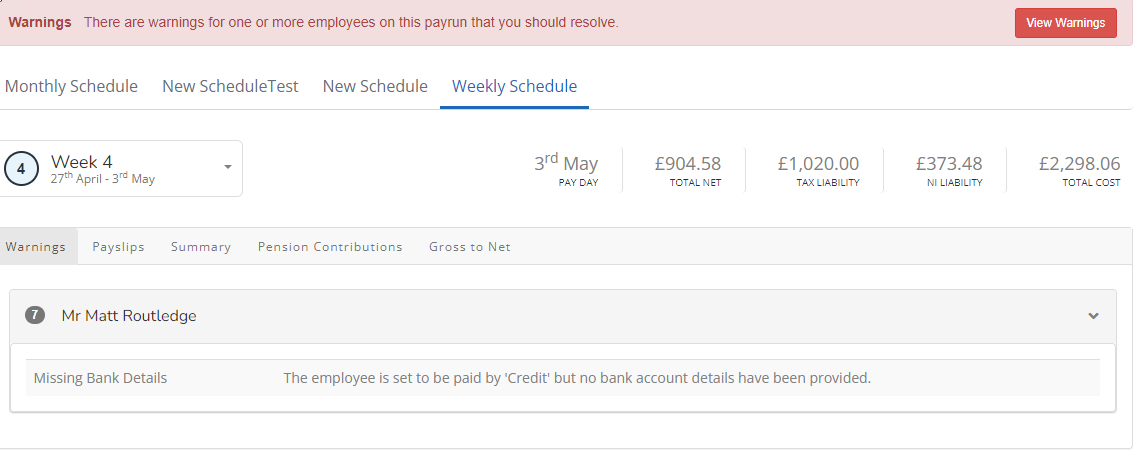
When opening a pay run, to help avoid potential issues with payments or RTI Real Time Information is the current method for reporting PAYE to HMRC, comprising FPS and EPS submissions. submissions, if required data is missing, a warning displays.
Examples of warnings for missing data include:
-
Missing bank details for employees where the payment method if set to credit (go to Employee > Pay Options > Other > Payment Method).
-
New starter where two lines of address are missing.
-
Invalid characters in the address.
Set Pay Run Warnings
You can set these Pay Run Warnings up by Employer.
How the warnings display
Before finalising a pay run, all warnings for it must be resolved. If running payrolls for multiple schedules, the warnings are split across each of the tabs.
When a pay run has warnings, a Warnings message is displayed at the top of the page.

How to resolve pay run warnings
-
Select View Warnings or the Warnings tab.
-
Select a warning to be automatically taken to the area that needs updating.
-
Make the required changes and save the details.
 Related topics: