Pay history for average holiday pay
-
Go to Employees.
-
Select the required employee.
-
Go to Settings, then select Pay History for Average Holiday If an Employee's work has no fixed or regular hours, their holiday pay will be based on the average pay they received over the previous 52 weeks (or a average based on the available number of weeks if less than the full 52..
As the payroll is processed, the pay history is populated.
-
Select the required year.

-
Select Back to leave the history.

Import history
If transferring from another payroll provider, historic average earnings can be imported.
-
Select Import.
-
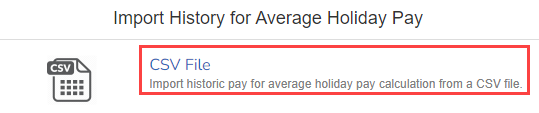
Select CSV File.
-
Drag the required file or click to browse.
Blank CSV File: Blank - Average Holiday Pay History Import.csv
Example CSV file with example data: Example - Average Holiday Pay History Import.csv
| Column | Name | Description |
| A | Payroll Code | Employee payroll code |
| B | Pay Date | Employee pay date |
| C | Tax Year | Tax year in full (Example: 2021) |
| D | Tax Period | Tax period (Example: 1-12 monthly 1-53 weekly) |
| E | Frequency | Monthly, Weekly, 2-week, 4-week |
| F | Pay for Average Holiday Pay If an Employee's work has no fixed or regular hours, their holiday pay will be based on the average pay they received over the previous 52 weeks (or a average based on the available number of weeks if less than the full 52. | Amount with no commas |
| G | Hours for Average Holiday pay | Hours. Minutes must be expressed as decimals (i.e. 32 minutes would be 1 / 60 x 32 = 0.53)) |
| H | Days for Average Holiday pay | Total number of days. |
| I | SXP only | TRUE / FALSE If someone was on maternity leave for the period, you would enter TRUE here as that week would then be skipped by the average calculation. |
Minutes are 1/60th of an hour expressed as a decimal.
2h 15m = 2.25. 3h 30m = 3.50. 4h 40m = 4.67 etc.
Importing the data multiple times adds to history, it does not overwrite.